
From Scrolling to Scanning
Designing a data-heavy campaign dashboard to improve visibility, reduce effort, and speed up decision-making.
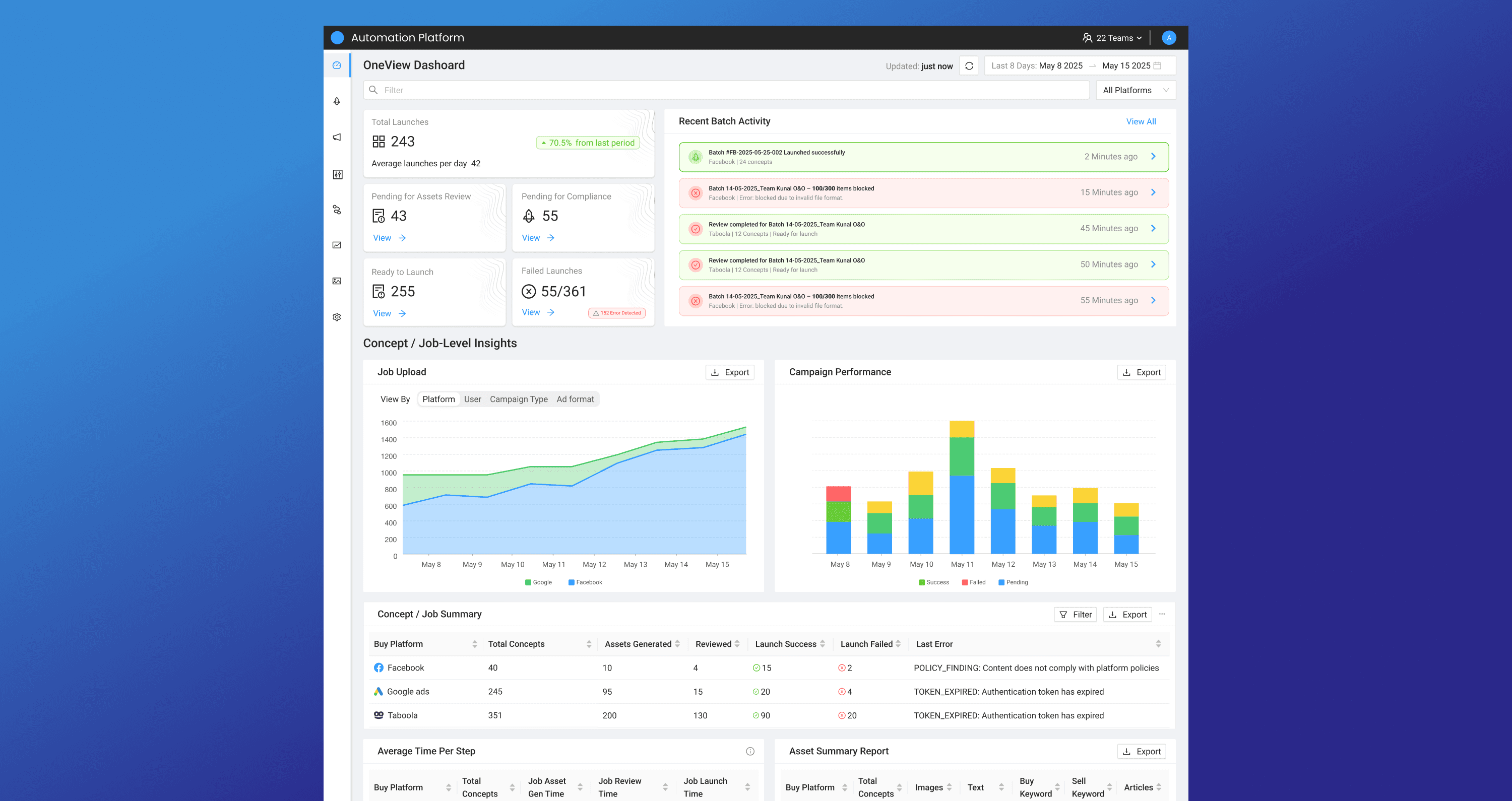
View across entire workflow in glance
Reduced cognitive load & manual tracking
Decision-making & failure detection
Real-time visibility into system status
More data visible per
screen
Reduced scrolling, enabled faster scanning
Context
My Role
I led the design for this project as the sole product designer, partnering closely with the Product Manager to drive research, define the problem, and deliver the final solution.
Problem
As the system transitioned from internal usage to a platform-level product, the expectations changed.
Campaign managers now needed to:
Handle larger volumes of campaigns
Operate with less context than internal teams
Make faster decisions in high-frequency workflows
However, the existing interface was not optimized for this scale:
Limited data visibility
High dependency on scrolling
Lack of system-level clarity
👉 The challenge was not just usability — it was designing for scale, speed, and clarity.
💡 Key Insight
We validated early that a large portion of campaign managers operate on 13-inch devices, where vertical space is limited.
This introduced a key trade-off:
Readability vs Data Density
In high-frequency operational workflows, campaign managers prioritize:
👉 Visibility and speed over visual comfort
Design Approach
We approached this as a system design problem.
Campaign operations behave like an assembly-line workflow, where multiple jobs run in parallel and each stage contributes incrementally to the final output.
In a car factory, different components—engine, chassis, interiors, electronics—are built independently and assembled step by step. Each stage is tracked for progress and quality, and any issue is identified and resolved before moving forward.
Campaign workflows follow a similar pattern:
Generation
Review
Compliance
Launch
Each stage operates independently but contributes to the final campaign outcome.
👉 This led us to design two distinct layers:
Execution Layer → where campaign managers act (table listing)
Visibility Layer → where campaign managers understand (dashboard)
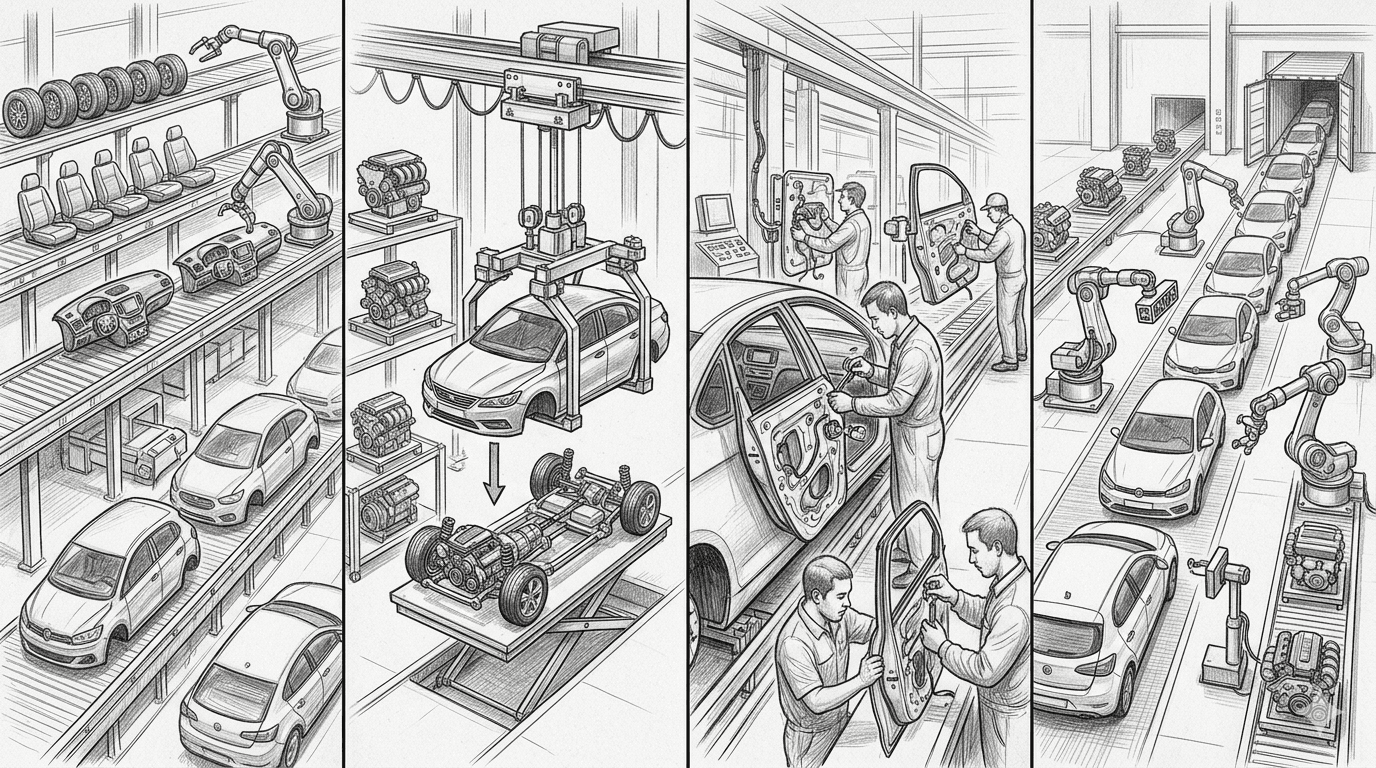
Independent stages → unified output
Execution Layer: Optimizing for Speed
The listing view is where campaign managers spend most of their time, so it needed to support high-density scanning and fast decision-making.
Adaptive Density
Compact Mode (12px) → more data per screen
Comfort Mode (14px) → better readability
Focus Mode (Density Control)
We introduced a single toggle to hide:
Quick filters
Column-level filters
This created two clear modes:
Exploration Mode → filters visible for discovery
Focus Mode → clean, high-density view
System Awareness
Generation Queue indicator → real-time visibility into system load
👉 From scanning rows → to instantly understanding system state
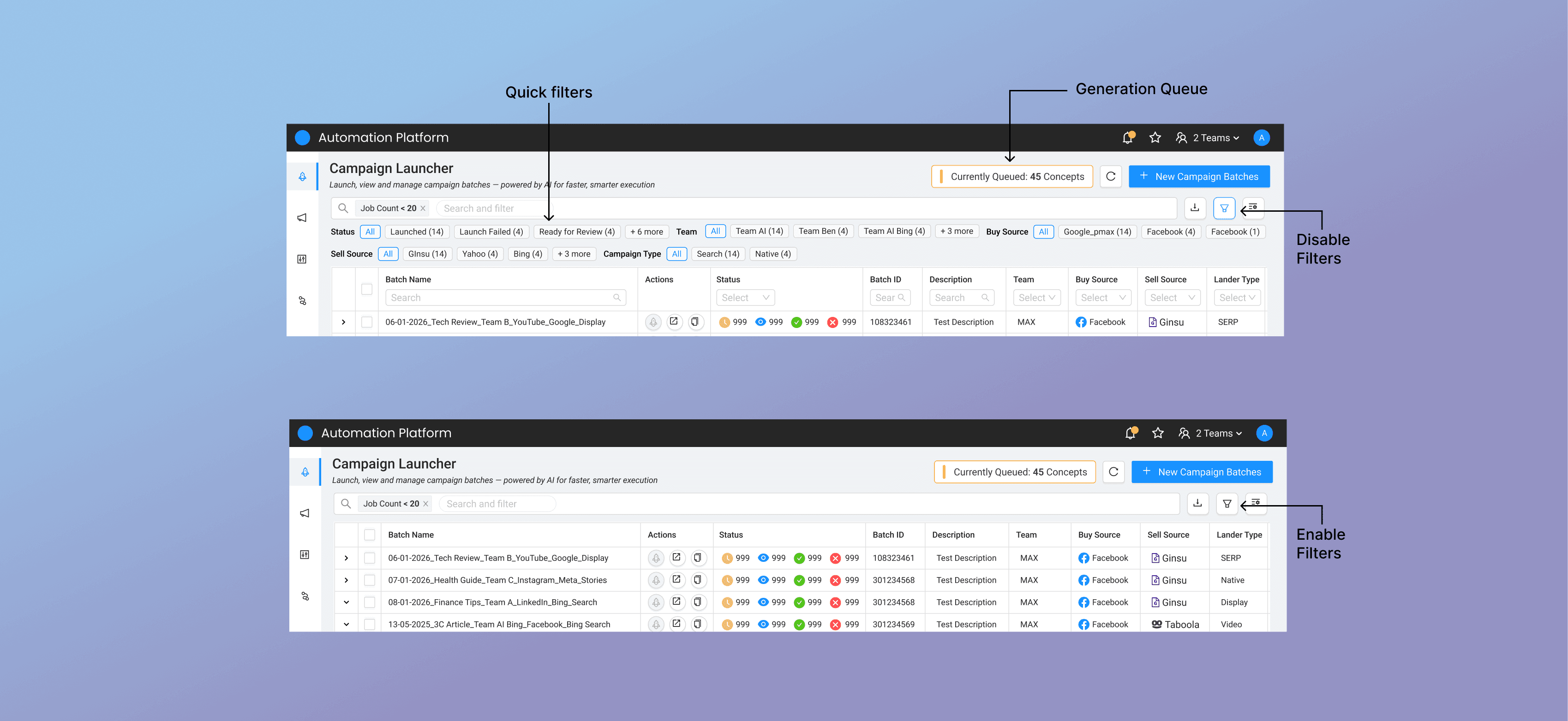
Quick filters = faster access, Generation Queue = system visibility
Outcome
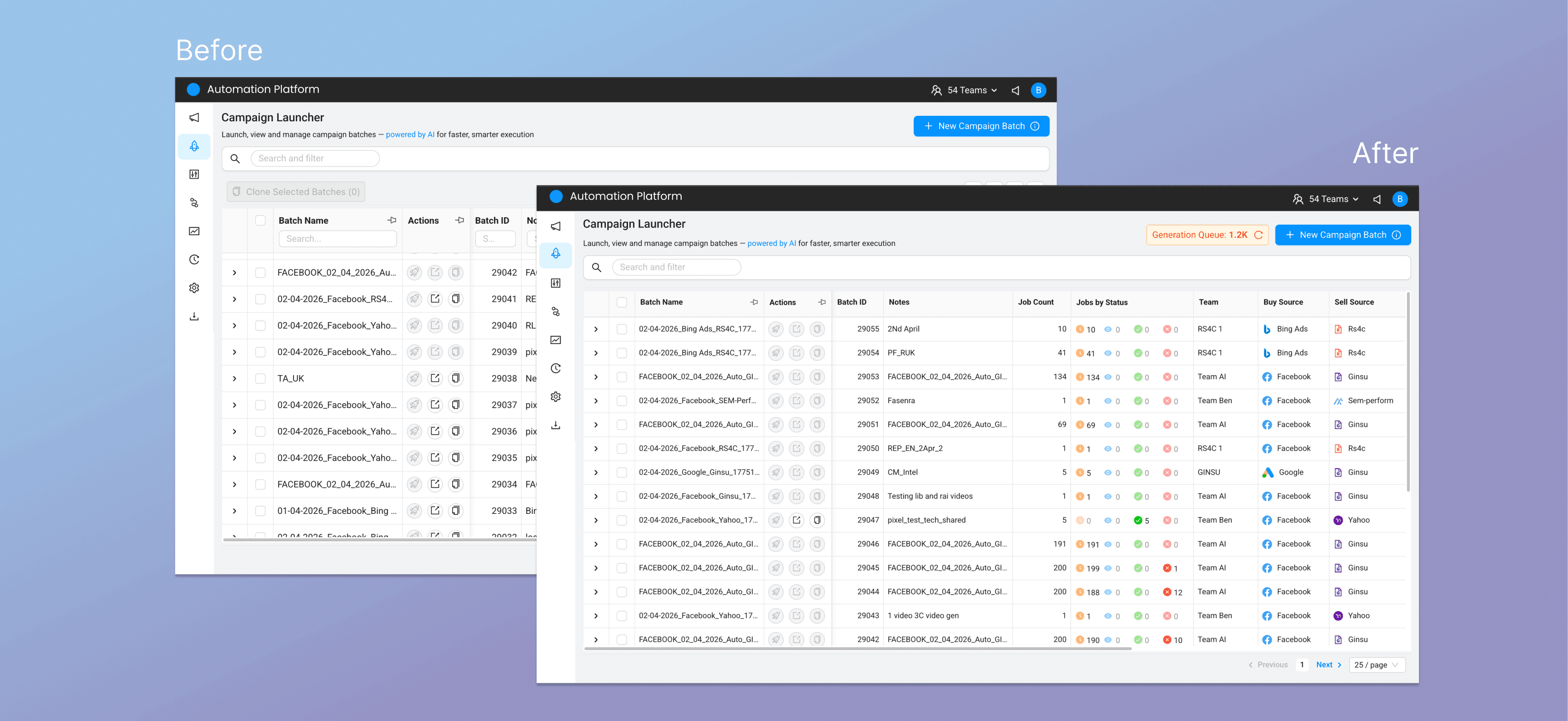
Visible rows increased from ~11 → ~16
👉 ~45% more data visible per screen, reducing scrolling and enabling scanning
System-Level Need
Even with improved density, campaign managers still needed to understand:
What’s happening overall
Where things are stuck
What needs attention
👉 The system had data, but lacked clarity and visibility
Visibility Layer: One View Dashboard
To solve this, we introduced a One View Dashboard.
To simplify a complex workflow, we modeled campaign operations like an assembly-line system—where each stage operates independently, yet contributes to a unified outcome.
Bulk campaign creation is an asynchronous, multi-step process, where each stage contributes incrementally to the final output.
In a car factory, components like engine, chassis, interiors, and electronics are assembled step by step. Each stage is tracked for progress and quality, and any issue is identified and resolved before moving forward.
We applied the same concept to campaign creation by breaking the workflow into distinct jobs:
Generation
Review
Compliance
Launch
Each stage is tracked independently, with progress and failures surfaced clearly.
What It Enables
The dashboard provides a real-time, at-a-glance view of all batches and campaigns, enabling campaign managers to:
Track job status across stages
Identify bottlenecks quickly
Troubleshoot failures efficiently
Improve overall execution performance
👉 From data → to clarity and control
Defining What to Show
Design Validation
While designing the dashboard, we validated directly with campaign managers to understand:
What information they check most frequently
What signals help them make faster decisions
Where they struggle in the current workflow
This helped us focus on actionable visibility, instead of simply adding more data.
Key User Questions
From these insights, we identified the core questions campaign managers needed answers to:
What needs my attention right now?
Which campaigns are stuck or failing?
What is ready to go live?
How is the system performing overall?
👉 Each widget in the dashboard is designed to answer one of these questions, reducing the need to scan the entire table.
One View Dashboard
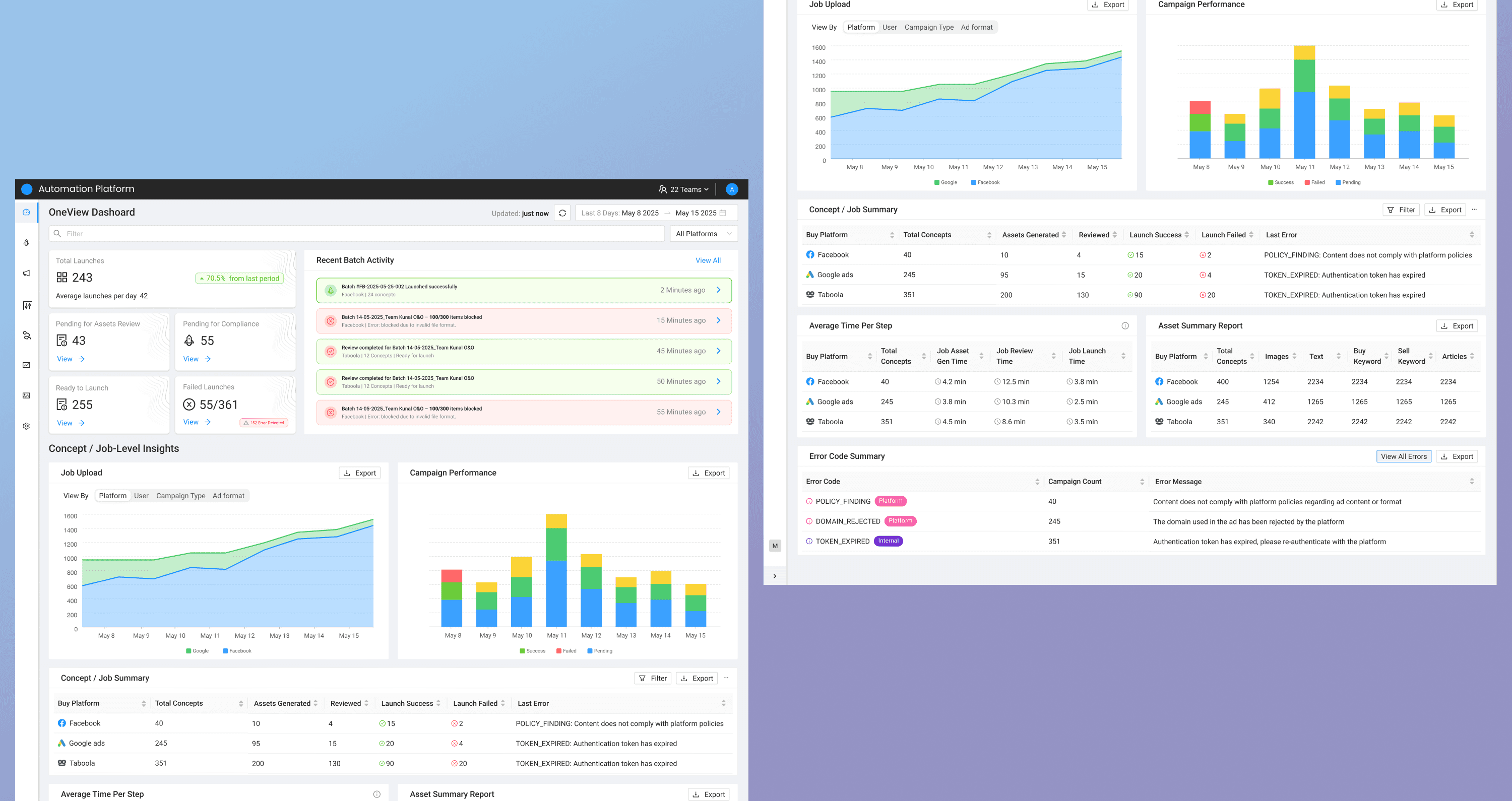
How It Works
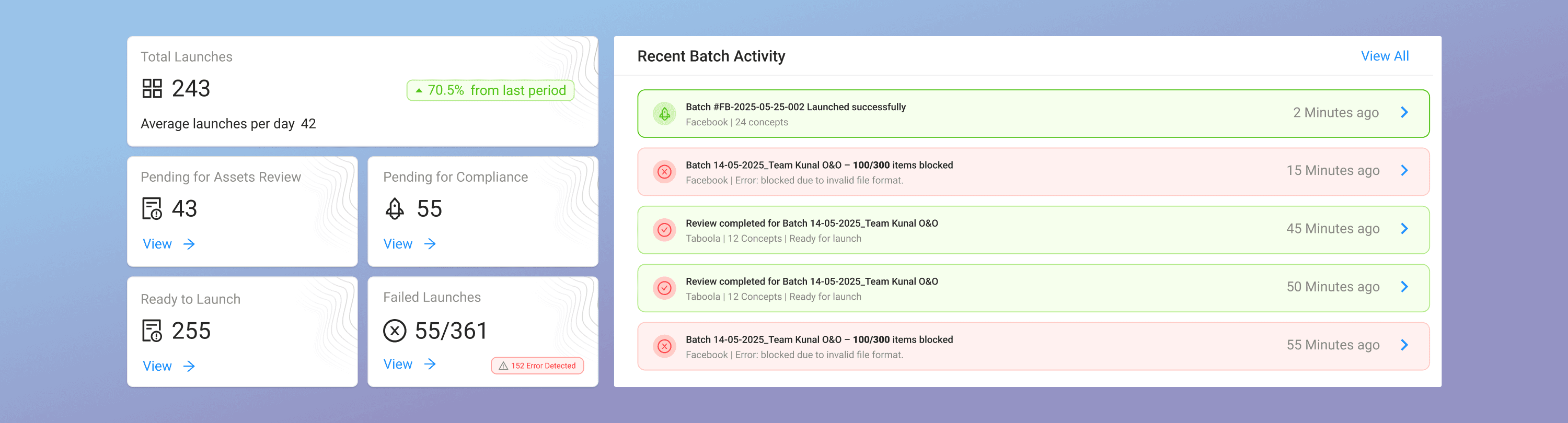
At-a-glance batch status
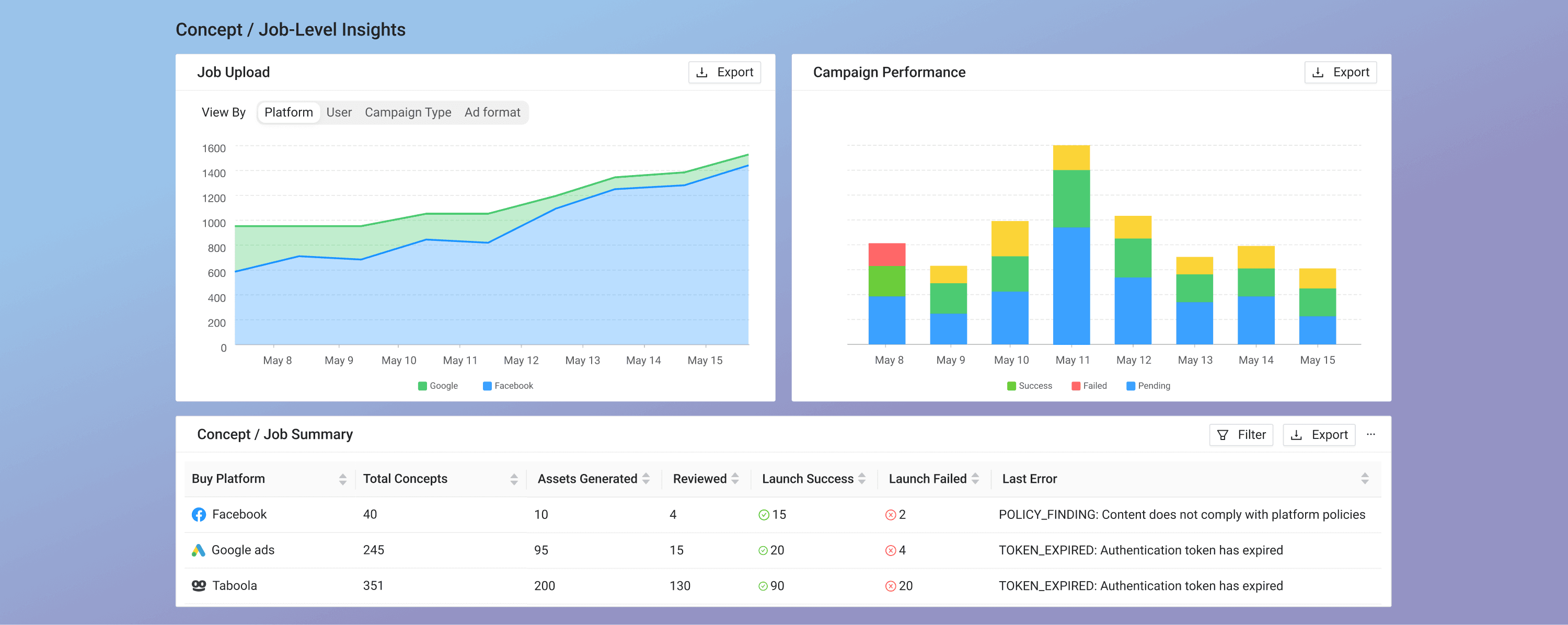
Track trends & anomalies
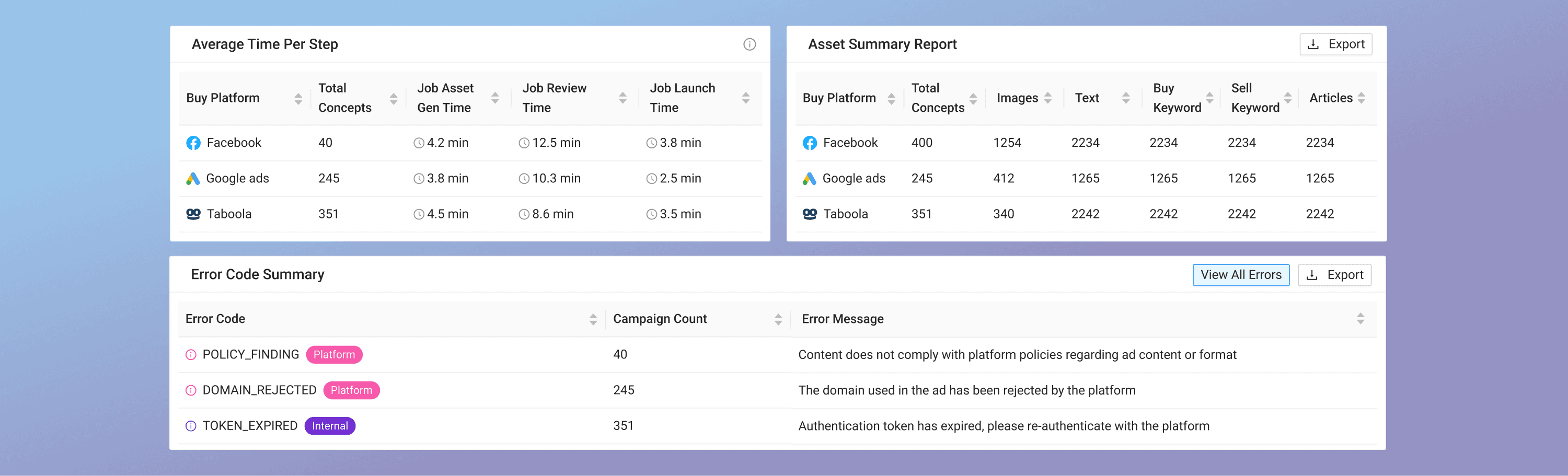
Quick root-cause detection
Final Takeaway
This project wasn’t about improving a table, it was about designing for decision-making at scale.
👉 Not just improving how users act
👉 But enabling how they understand complex systems
PS: All content, concepts, and designs are my own and do not represent any organization; product and company names are placeholders; do not share without permission; icons and images belong to their respective owners.